Windows x64 beta
CoreVideo Edge
Route and record more Zoom guests on a separate Windows machine. Edge joins the same meeting as CoreVideo Pro under its own Zoom account, giving it a separate downlink budget.
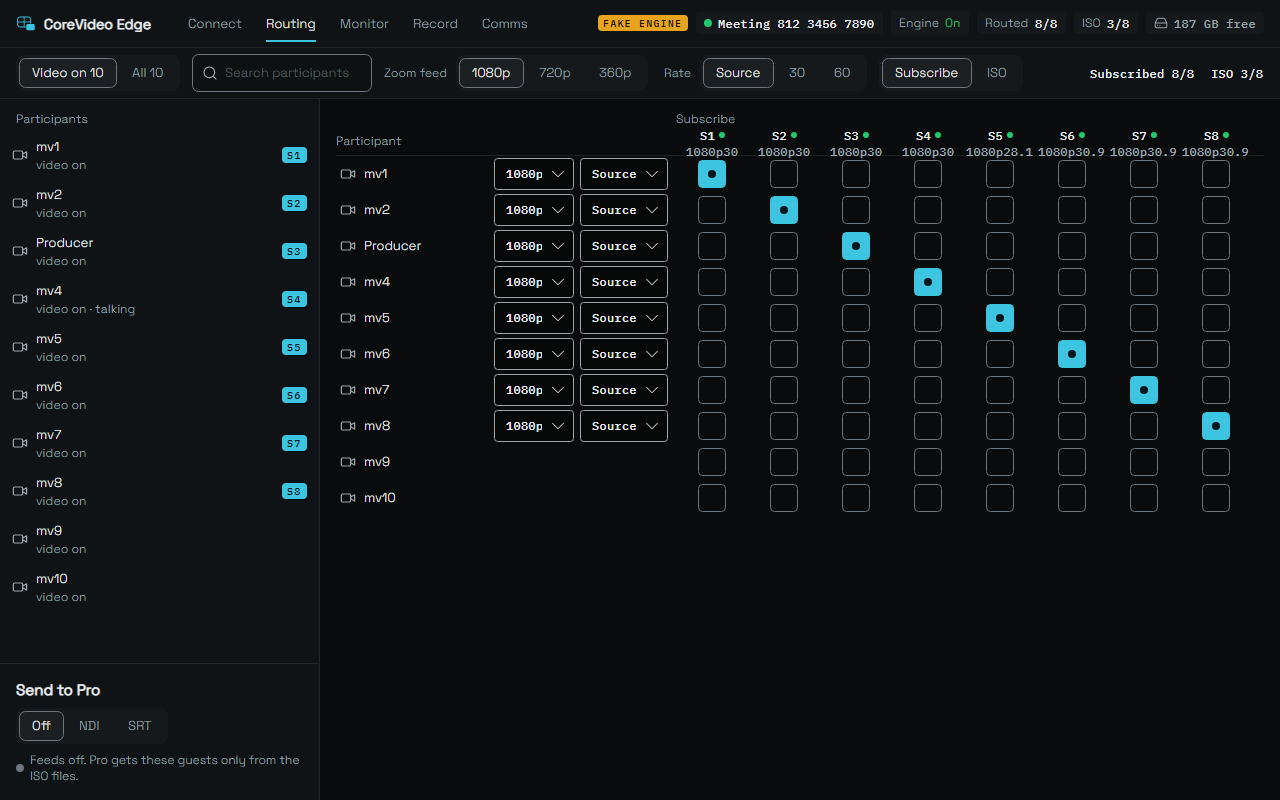
Route and monitor guestsChoose up to eight Zoom participants and preview each routed feed. Request a resolution and frame rate for each slot. Actual video quality depends on what Zoom delivers.
Record isolated MP4sArm the guests you want to record. Edge saves one MP4 per armed guest with their own video and isolated audio.
Send feeds to ProUse NDI or SRT to send routed guests from the Edge machine to your production.
Set up the beta
- Install Edge on a separate Windows x64 machine. This beta shares Pro’s browser sign-in link, so the apps can intercept each other’s callbacks if installed together.
- Sign in to Zoom with a separate account and join the same meeting as Pro.
- Choose participants in Routing, confirm their previews in Monitor, and arm the guests you need for recording.
NDI output requires the NDI 6 Runtime or NDI Tools. SRT output requires FFmpeg on PATH or at COREVIDEO_FFMPEG_DIR. The beta installer is unsigned. See the release notes for validation details and known limitations.